 By admin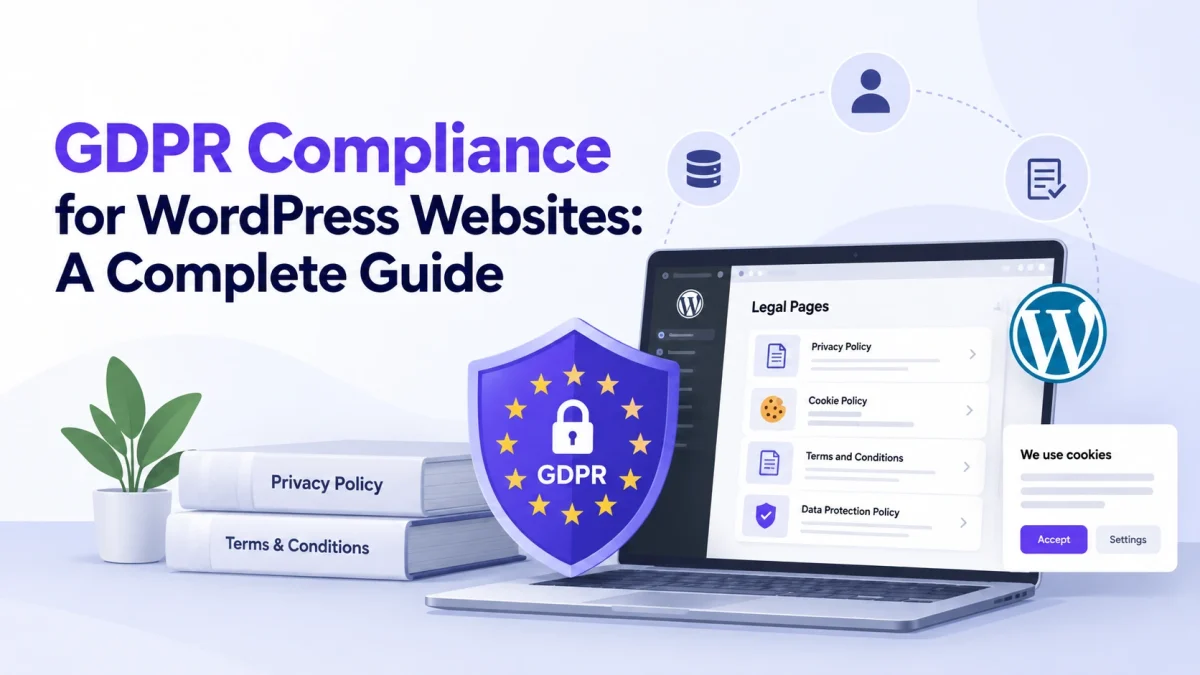
GDPR is a data protection law that applies to certain organizations handling personal data of people in the European Union.
WordPress websites may collect personal information through forms, accounts, newsletters, analytics, cookies, and e-commerce tools. GDPR compliance involves more than adding a Privacy Policy.
Website owners should understand what data they collect, how it is used, and how it is shared. This guide explains GDPR basics, why it matters for WordPress websites, and practical steps to manage privacy information.
What Is GDPR?
GDPR stands for the General Data Protection Regulation. It is a European Union regulation designed to protect people’s personal data and privacy.
The regulation applies to certain organizations that process personal data connected to people in the EU, even when the organization itself is located outside the EU.
Personal data can include information such as:
- Name
- Email address
- Phone number
- IP address
- Online identifiers
- Account information
- Location information
- Other information that can relate to an identifiable person
For WordPress website owners, this matters because many common website functions involve collecting or processing personal information.
For example, a visitor may enter their name and email address into a contact form, create an account, subscribe to a newsletter, or place an order through an e-commerce website.
The GDPR also includes requirements around transparency, user rights, lawful processing, and how organizations handle personal data.
Why Does Your WordPress Site Need GDPR Compliance?
A WordPress website can collect personal information through many different features and services.
For example, your site may use:
- Contact forms
- Newsletter forms
- User registration
- Ecommerce plugins
- Payment gateways
- Analytics tools
- Cookies
- Advertising services
- Social media integrations
Each service can affect how personal information is collected or processed.
For example, an online store may collect a customer’s name, email address, billing details, and shipping address. An analytics tool may collect information about how visitors interact with the website.
GDPR compliance requires more than simply knowing that data is being collected. Website owners should understand why the information is collected, how it is used, and what happens to it.
A clear Privacy Policy is one important part of this process. It can explain what information the website collects, why it collects it, and which third parties may process it.
However, a Privacy Policy alone does not make a website GDPR compliant. The website’s actual data practices also need to be reviewed.
Key GDPR Considerations for WordPress Websites
Be Clear About Data Collection
Visitors should be able to understand what information your website collects and why.
For example, if a contact form asks for a name and email address, explain why those details are needed.
Review Your Cookies
WordPress websites can use cookies through the WordPress core, plugins, themes, analytics tools, advertising services, and other integrations.
Review the cookies used by your website and understand their purpose.
Check Third-Party Services
Third-party services can affect how personal data is processed.
Review the services connected to your website, such as:
- Analytics platforms
- Email marketing services
- Payment providers
- Advertising tools
- Social media services
Your privacy information should take relevant services into account.
Make Your Privacy Policy Accessible
Visitors should be able to find your Privacy Policy easily.
A link in the website footer is common, but links may also be useful near registration forms, contact forms, checkout pages, and newsletter signups.
How to Implement GDPR-Related Legal Pages in Your WordPress Site
There is no single plugin setting that can make a website GDPR compliant. However, creating clear legal pages and reviewing your website’s data practices are useful steps.
Legal Pages provides ready-made templates for different legal pages, including privacy-related templates, that can be added and edited from the WordPress dashboard.
Step 1: Add Your Website Information
Legal Pages allows you to add website and business information through its settings.
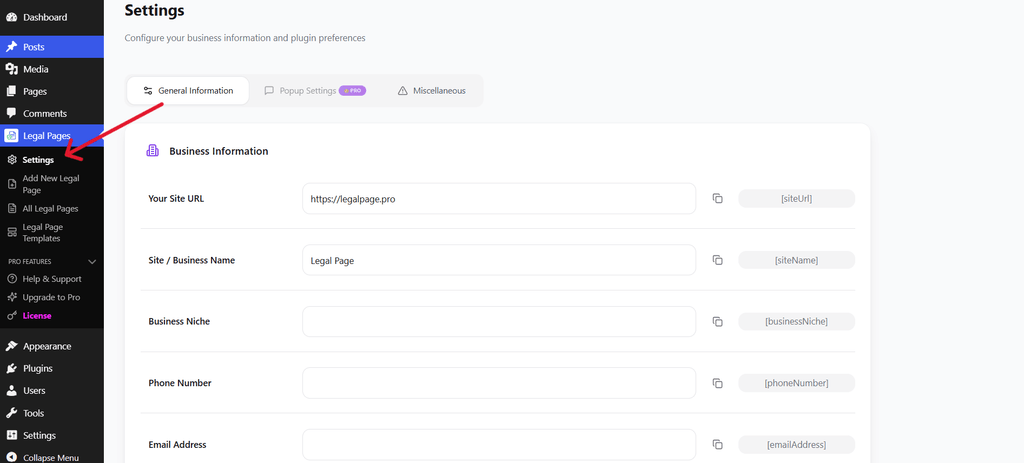
You can enter details such as your:
- Website URL
- Site or business name
- Email address
- Phone number
- Business information
These details can then be used within legal page content through the plugin’s available shortcodes.
Step 2: Add Address Information
You can also add relevant address information in the settings.
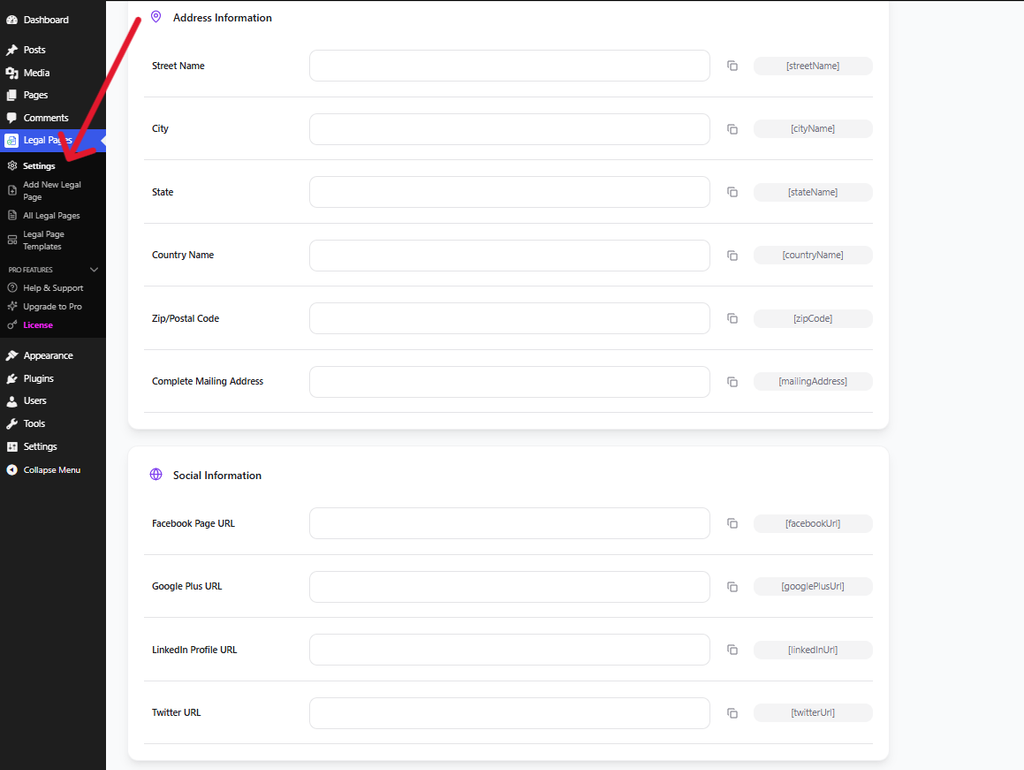
This can include your street, city, state, country, and postal code.
Keeping this information in the plugin settings can make it easier to use consistent business details across your legal pages.
Step 3: Open Add New Legal Page
From your WordPress dashboard, go to Legal Pages → Add New Legal Page.
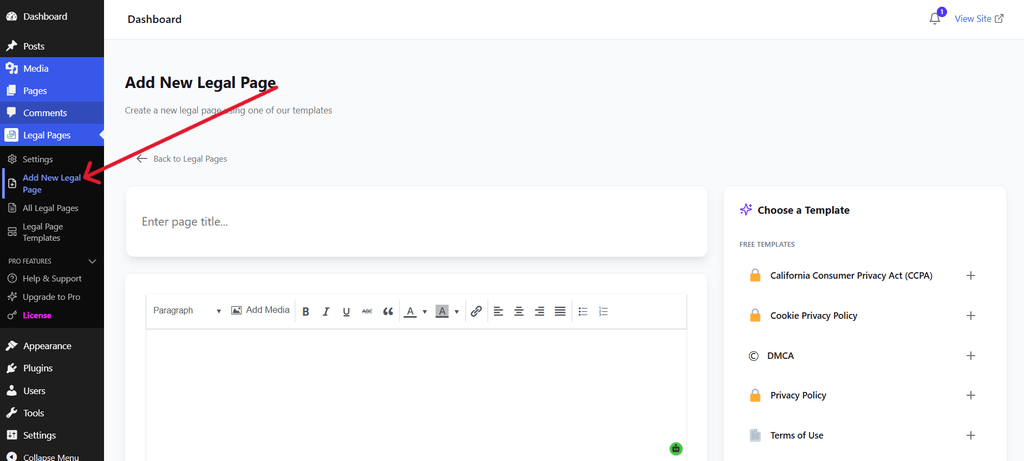
This is where you can start creating a new legal page and choose a suitable template.
For GDPR-related privacy information, you can select the relevant privacy template available in the plugin.
Step 4: Select a Suitable Template
The template selection screen provides different legal page options.
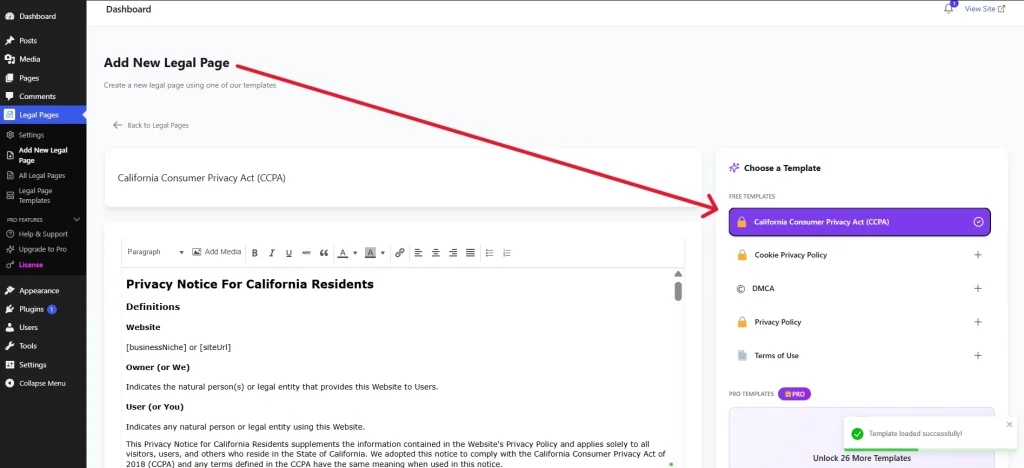
The screenshot shows the template selection interface. The example displayed is a Terms of Use template, but the same workflow can be used to select an appropriate privacy-related template.
Choose the template that best matches the legal page you want to create.
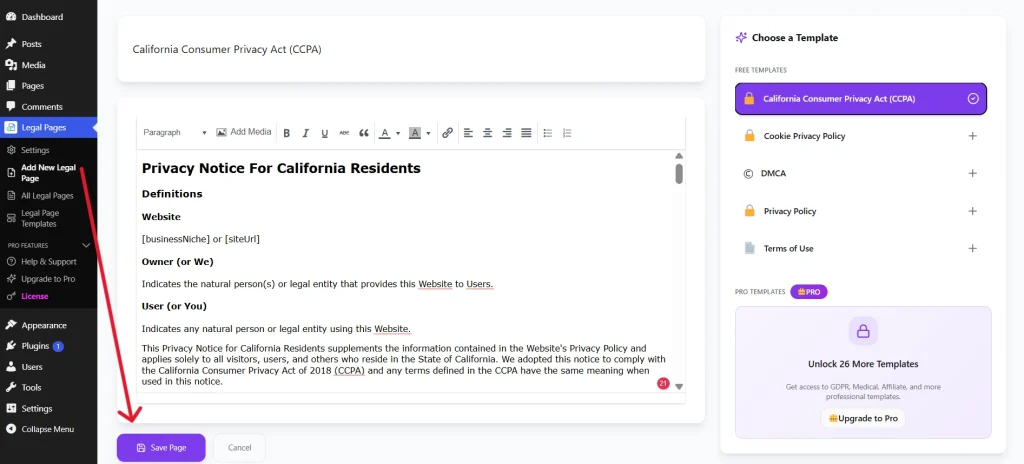
Step 5: Review and Customize the Content
Once the template is loaded, review its content carefully.
The screenshot shows the legal page editing interface.
For a GDPR-related Privacy Policy, review information about:
- Personal data collection
- Forms
- Cookies
- Analytics
- Third-party services
- User accounts
- Contact information
The template is a starting point. You should adjust the content so that it reflects your website’s actual data practices.
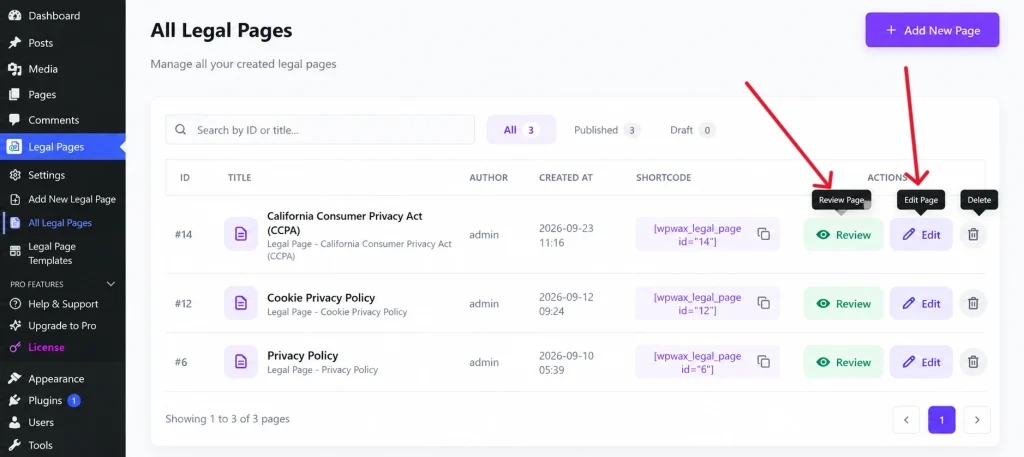
Step 6: Save and Manage Your Legal Pages
After reviewing and customizing the page, save or publish it.
You can manage your created legal pages from Legal Pages → All Legal Pages.
After publishing, visit the live page and make sure the information is accurate and easy for visitors to access.
Make Managing Legal Pages Easier
Create and customize GDPR-related privacy pages, cookie policies, and other legal documents for your WordPress website with Legal Pages.
Explore the Pro VersionCommon GDPR Mistakes to Avoid
Assuming a Privacy Policy Is Enough
A Privacy Policy is important, but GDPR compliance also involves how your website actually collects and processes personal data.
Ignoring Plugins and Third-Party Services
A website may collect information through plugins and external services that you may not have considered when creating your Privacy Policy.
Forgetting About Cookies
Review the cookies used by your website, particularly those added by analytics, advertising, and other third-party services.
Copying Another Website’s Privacy Policy
Another website may have completely different data practices. Its Privacy Policy may not accurately describe your website.
Leaving Old Information on Your Website
If you change your forms, plugins, analytics tools, payment services, or other data-related features, review your privacy information as well.
Conclusion
GDPR compliance for WordPress websites requires more than adding a legal page to your website.
You need to understand what personal information your website collects, why it collects it, how it is used, and which third-party services may process it.
A clear Privacy Policy can help communicate these practices to visitors, while reviewing cookies, plugins, forms, analytics tools, and other integrations can help you understand what is happening behind the scenes.
Legal Pages can help you create and manage relevant legal pages using ready-made templates within WordPress. However, the content should always be reviewed and adjusted to reflect your website’s actual practices and the requirements that apply to your organization.