 By admin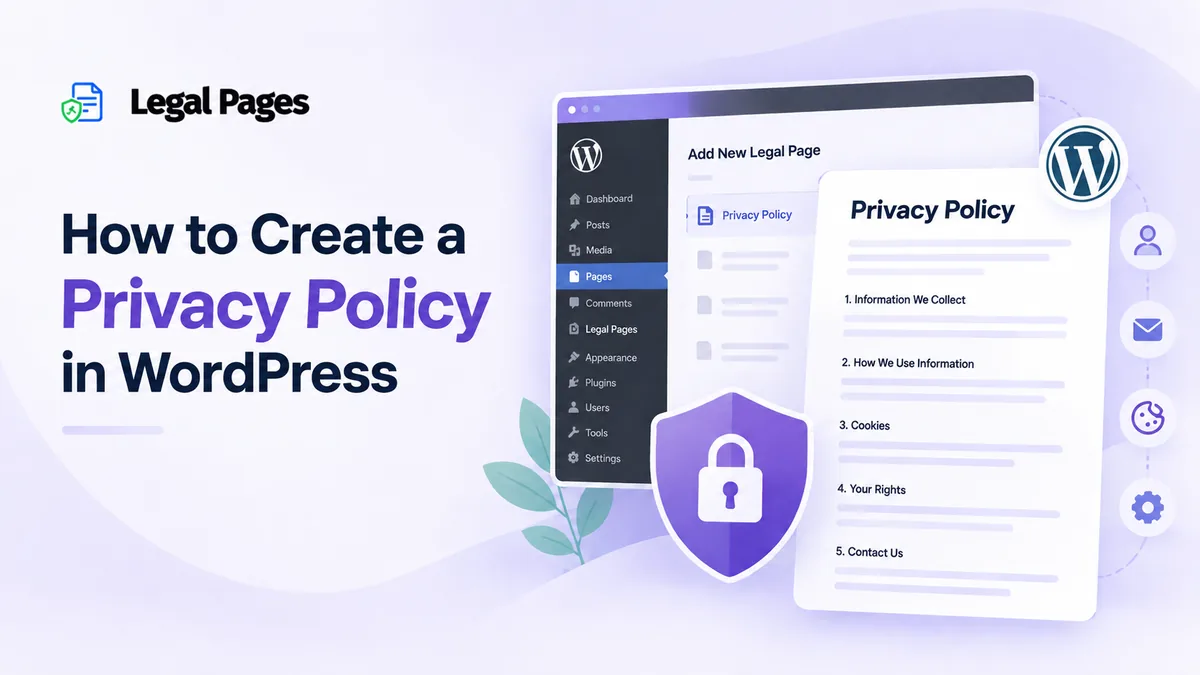
A Privacy Policy explains how a website collects, uses, and manages visitors’ personal information. WordPress websites may collect data through contact forms, newsletters, analytics, and e-commerce features.
Creating a Privacy Policy from scratch can be confusing and time-consuming. WordPress provides tools to help, while plugins like Legal Pages offer ready-made templates that can be customized.
In this guide, we’ll explain what a Privacy Policy is, why your WordPress website may need one, and how to create and manage it using Legal Pages.
What Is a Privacy Policy?
A Privacy Policy is a page that explains how a website collects, uses, stores, and handles personal information.
The type of information collected depends on how a website works. It may include:
- Name
- Email address
- Phone number
- Account information
- IP address
- Device information
- Information submitted through forms
- Payment-related information
For example, a contact form may collect a visitor’s name and email address. An online store may also collect information such as a customer’s billing and shipping details to process an order.
A Privacy Policy should explain what information your website collects and why it is collected. Where relevant, it can also explain which third-party services may receive or process that information.
The policy should match your website’s actual practices. A website using Google Analytics, a newsletter service, contact forms, and an e-commerce plugin may need to explain different types of data handling than a simple portfolio website.
This is why copying a Privacy Policy from another website is not a good approach. Another website may use different plugins, services, payment providers, and data collection methods.
Why Does Your Site Need a Privacy Policy?
A Privacy Policy gives visitors a clear place to learn about how their information is handled.
A WordPress website can collect information in several ways. For example, you may use:
- Contact and registration forms
- Newsletter signup forms
- Analytics tools
- Ecommerce plugins
- Payment gateways
- Social media integrations
- Cookies and tracking technologies
- Third-party services
Each of these can affect the information your website collects or processes.
For example, if a visitor signs up for your newsletter, their email address may be collected and passed to an email marketing service. If someone creates an account, the website may store their account information. An online store may need additional customer and order information to complete purchases.
A Privacy Policy helps explain these practices instead of leaving visitors to guess what happens to their information.
It is also important to keep the policy up to date. If you add a new analytics tool, payment service, form, or other feature that changes how information is handled, the Privacy Policy may need to be reviewed and updated.
How to Create a Privacy Policy in WordPress
There are different ways to create a Privacy Policy in WordPress. WordPress has its own privacy tools, while plugins such as Legal Pages provide ready-made templates that can give you a useful starting point.
Here is how you can create a Privacy Policy using Legal Pages.
Step 1: Add Your Website Information
Legal Pages includes a settings area where you can add information about your website or business.
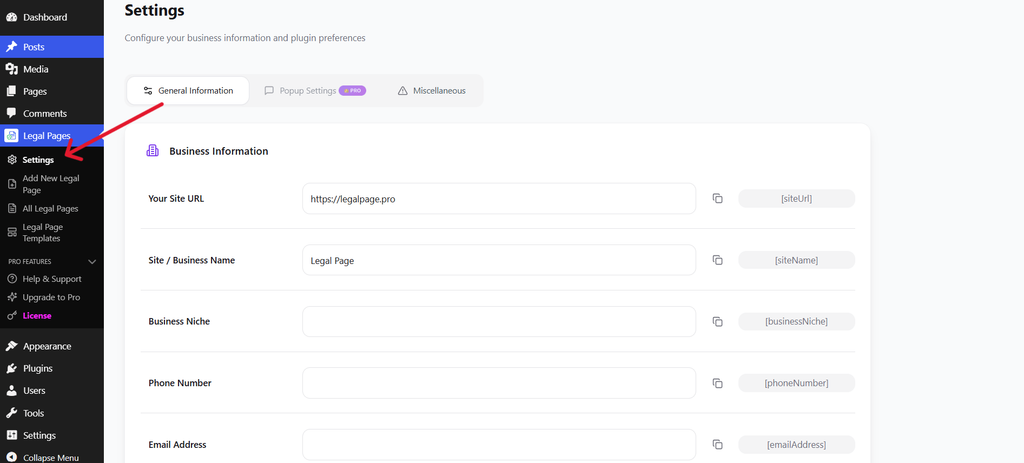
Depending on your setup, you can add details such as:
- Website URL
- Site or business name
- Business niche
- Email address
- Phone number
Adding this information can make it easier to use the same details across your legal pages.
Step 2: Add Your Address Information
You can also add your business or website address information in the settings.
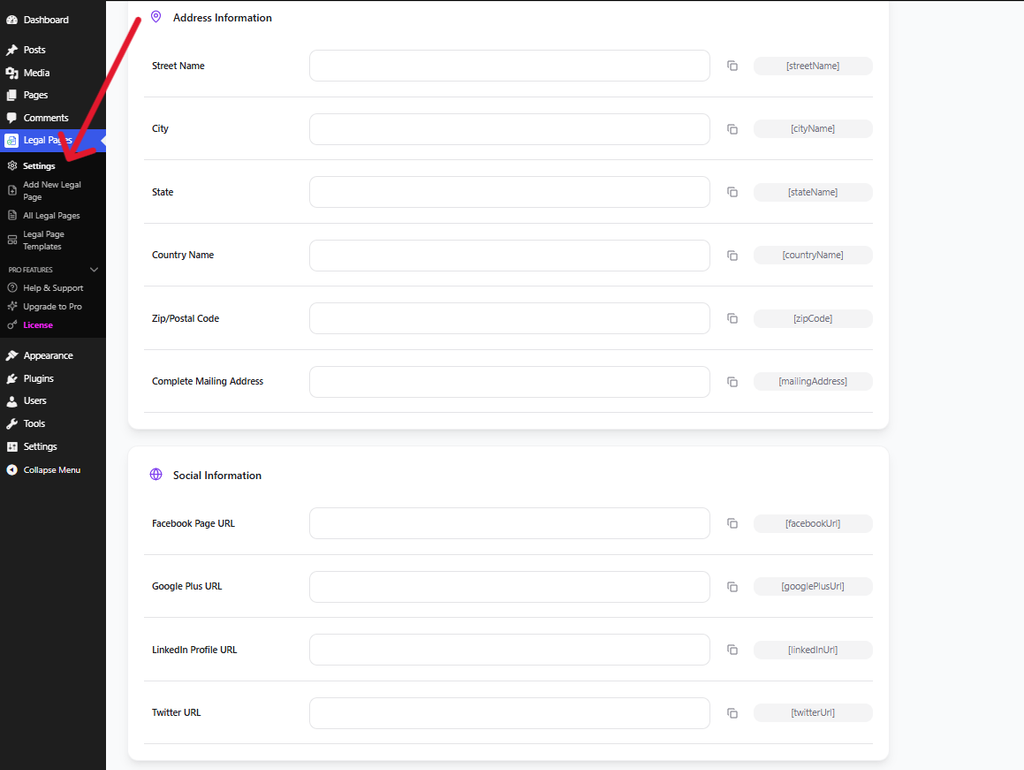
This section allows you to enter details such as your street, city, state, country, and postal code.
Legal Pages provides shortcodes that can be used to insert saved website information into legal page content. This can save you from repeatedly entering the same details manually.
Step 3: Open Add New Legal Page
From your WordPress dashboard, go to Legal Pages → Add New Legal Page.
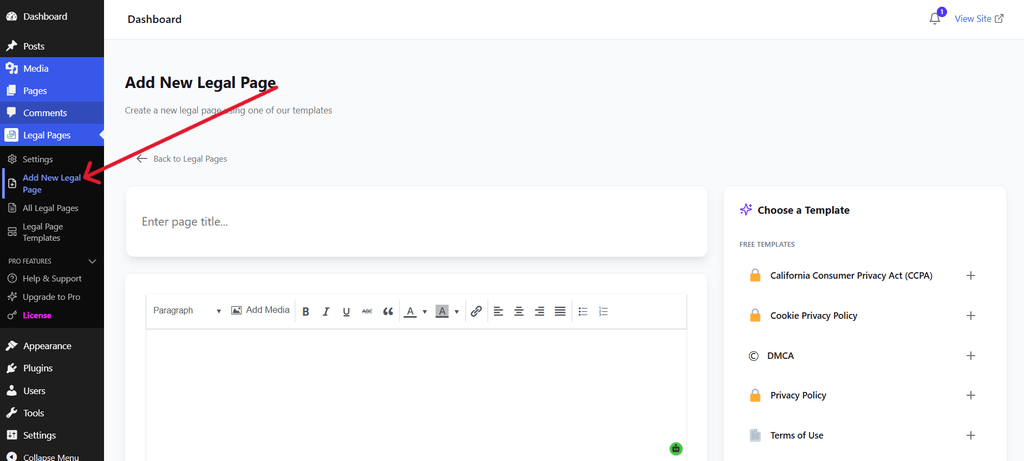
The Add New Legal Page screen allows you to start creating a legal page and choose a suitable template.
Since we are creating a Privacy Policy, look for the Privacy Policy template in the available template options.
Step 4: Select the Privacy Policy Template
After opening the new legal page screen, choose the template that matches the page you want to create.
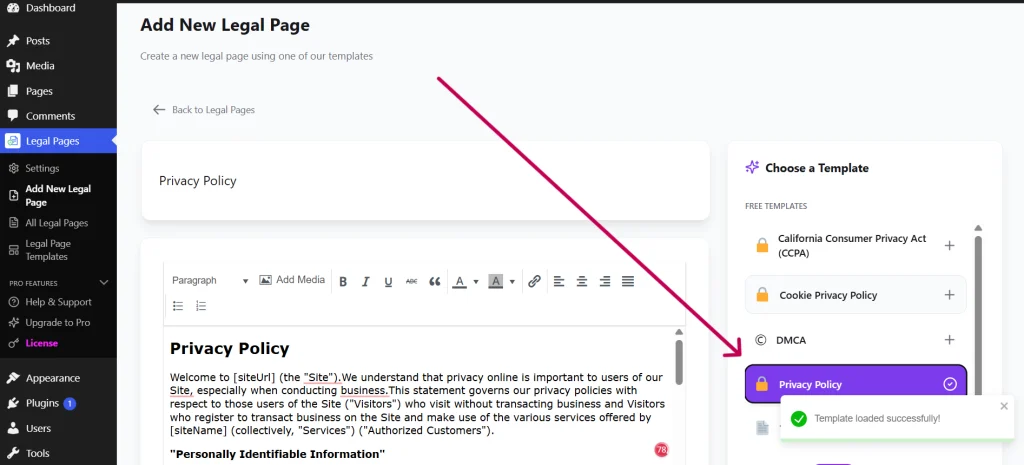
The screenshot shows the template selection interface. The example displayed in the screenshot is a Terms of Use template, but the same interface can be used to select the Privacy Policy template.
Once you select the Privacy Policy template, its content can be loaded into the editor.
Using a template gives you a starting point instead of having to create the entire document from an empty WordPress page.
Step 5: Review the Privacy Policy Content
After selecting the template, review the content in the editor.
The screenshot shows the editing area with a legal page template. When creating a Privacy Policy, this is where you can review and edit the Privacy Policy content.
Before publishing, check whether the information matches your website.
Pay particular attention to:
- The information your website collects
- Contact and signup forms
- Analytics tools
- Cookies
- Payment services
- User accounts
- Third-party services
Do not assume that a template automatically covers every service used by your website. Review the content and make the necessary changes before publishing.
Step 6: Save and Manage the Privacy Policy
Once you have reviewed the content and added the relevant information, save or publish your Privacy Policy.
You can manage your created legal pages from Legal Pages → All Legal Pages.
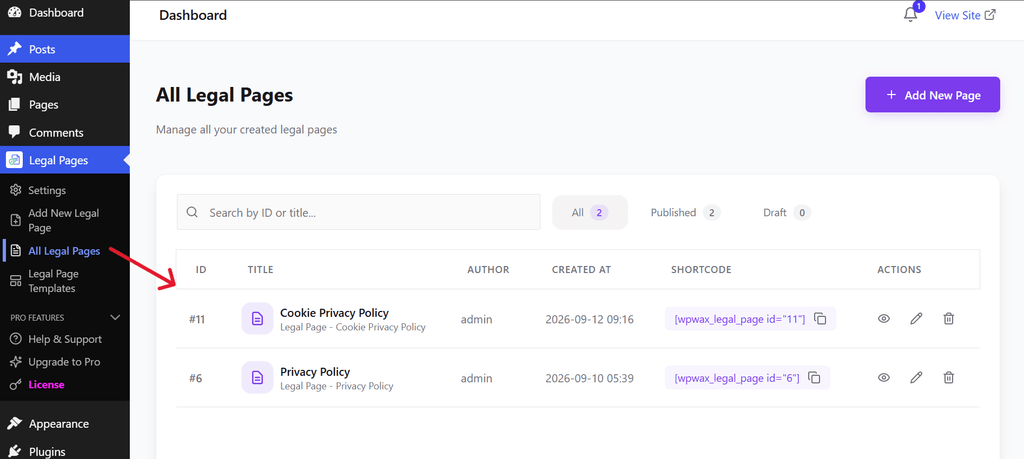
This screen gives you a central place to view and manage the legal pages created on your website.
After publishing your Privacy Policy, visit the live page and check that:
- The page loads correctly
- Your website information is accurate
- The content reflects your actual data practices
- Visitors can easily access the page
Where Should You Add Your Privacy Policy?
Creating the page is only part of the process. Visitors should also be able to find it without difficulty.
The website footer is a common place to add a Privacy Policy link. You can also consider linking to it near areas where visitors provide information, such as:
- Account registration
- Contact forms
- Newsletter signup
- Checkout
- Booking forms
The right placement depends on your website, but the main goal is to make the Privacy Policy easy to access.
Common Mistakes to Avoid
When creating a Privacy Policy for your WordPress website, avoid these common mistakes:
Copying Another Website’s Policy
Another website may collect different information or use completely different services. Your Privacy Policy should be based on your own website’s practices.
Forgetting Third-Party Services
Analytics tools, payment providers, advertising services, and other integrations may affect how information is collected or processed.
Publishing Without Reviewing the Content
A template is a starting point. Always check the content before publishing it.
Leaving the Policy Outdated
If your website changes the way it collects or handles information, review the Privacy Policy and update it where necessary.
Making the Policy Difficult to Find
A Privacy Policy should not be hidden. Add an accessible link, such as in your website footer or other relevant areas.
Conclusion
Creating a Privacy Policy is an important step for many WordPress websites that collect or handle personal information.
The content of the policy should reflect what your website actually does, including the forms, plugins, analytics tools, payment services, cookies, and third-party services you use.
WordPress provides built-in privacy tools, while Legal Pages offers ready-made templates that can help you start the process without creating the entire document from scratch.
Once the Privacy Policy is created, review it carefully, customize the information where needed, publish it, and make sure visitors can easily find it.