 By admin
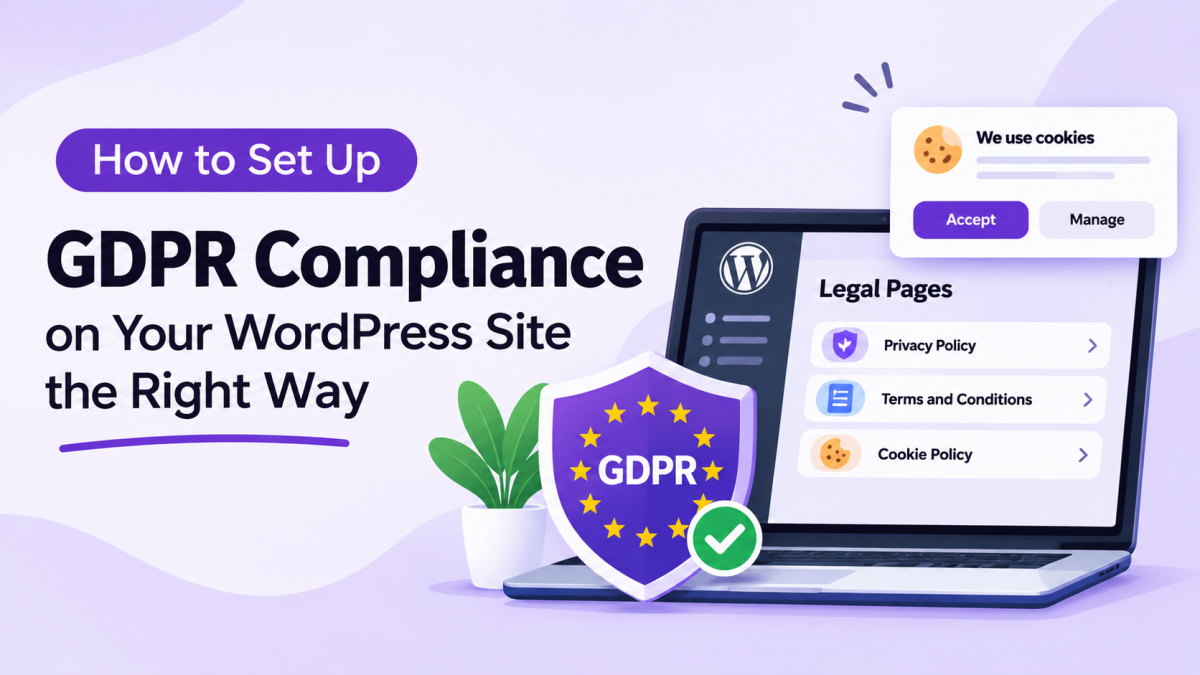
If your WordPress website collects personal information from visitors, understanding GDPR is important. The General Data Protection Regulation (GDPR) sets rules for how organizations collect, use, store, and share personal data belonging to people in the European Union. Contact forms, newsletter subscriptions, analytics tools, cookies, and user accounts can all involve personal information. Simply publishing a Privacy Policy is not enough to address every requirement. In this guide, we’ll explain the key GDPR considerations for WordPress websites and show you practical steps to manage relevant legal pages and privacy information.
What Is GDPR?
The General Data Protection Regulation (GDPR) is a data protection law introduced by the European Union that became enforceable on May 25, 2018.
It establishes rules for organizations that process personal data of people in the EU, including certain organizations located outside the EU.
GDPR gives individuals greater control over their personal information and requires covered organizations to handle that information responsibly.
Some important GDPR principles include:
- Lawfulness, fairness, and transparency: Personal data must be processed lawfully and explained clearly.
- Purpose limitation: Information should be collected for specific and legitimate purposes.
- Data minimization: Only the information necessary for a particular purpose should be collected.
- Accuracy: Personal information should be kept accurate and updated where necessary.
- Storage limitation: Personal data should not be kept longer than necessary.
- Security: Appropriate measures should protect personal information.
These principles are relevant when reviewing how your WordPress website collects and handles visitor information.
Why Does Your WordPress Site Need GDPR Compliance?
A WordPress website can collect personal information through several features and integrations. Even a simple business website may use tools that process visitor data.
Here are some common examples:
1. Contact Forms
Contact forms collect information such as names, email addresses, phone numbers, and messages. Website owners should explain why this information is collected and how it will be used.
2. Newsletter Subscriptions
Email marketing forms collect visitor information for promotional communication. Website owners should establish an appropriate legal basis for processing and provide clear information about subscriptions and withdrawal options.
3. Cookies and Analytics
Analytics tools, advertising services, and embedded content may use cookies or similar technologies to collect information about visitors.
Depending on the technology and applicable rules, consent may be required before certain cookies are stored or accessed.
4. User Registration
Membership websites and online platforms may collect usernames, email addresses, account details, and other personal information.
Visitors should understand how their information is handled when creating an account.
5. Ecommerce and Payment Processing
Online stores process customer details, billing information, order history, and payment-related data. Website owners should review how their ecommerce platforms and payment providers handle this information.
GDPR compliance helps organizations understand their responsibilities and communicate their data practices more clearly.
Key GDPR Considerations for WordPress Websites
Before making changes to your website, review the following areas.
1. Create a Clear Privacy Policy
Your Privacy Policy should explain:
- What personal information your website collects
- Why the information is collected
- How the information is used
- Whether information is shared with third parties
- How long information is retained
- How visitors can exercise their privacy rights
Keep the information accurate and relevant to your actual website practices.
2. Review Cookie Usage and Consent
Identify the cookies and similar technologies used by your website.
Some cookies are necessary for basic website functions, while others support analytics, advertising, and personalization.
Where consent is required, visitors should have a clear way to accept or reject non-essential cookies. They should also be able to change their preferences later.
3. Provide Information About Data Rights
GDPR provides individuals with several rights concerning their personal information, including:
- Right to access
- Right to rectification
- Right to erasure
- Right to restrict processing
- Right to data portability
- Right to object
Your website should explain how eligible visitors can submit relevant requests.
4. Review Third-Party Plugins and Services
WordPress plugins can introduce additional data collection and processing activities.
Review services such as:
- Google Analytics
- Email marketing platforms
- Contact form plugins
- Payment gateways
- Advertising integrations
Understand what information these services collect and how they handle it.
5. Keep Your Website Secure
Use appropriate security measures to protect personal information.
Keep WordPress, themes, and plugins updated. Use secure connections, restrict unnecessary access, and maintain regular backups.
How to Set Up GDPR Compliance on Your WordPress Site
You can manage several important parts of your website’s legal information directly from WordPress. A plugin such as Legal Pages can help you create and maintain relevant legal documents using ready-made templates.
Follow these steps to get started.
Step 1: Install and Open Legal Pages
First, install and activate Legal Pages on your WordPress website.
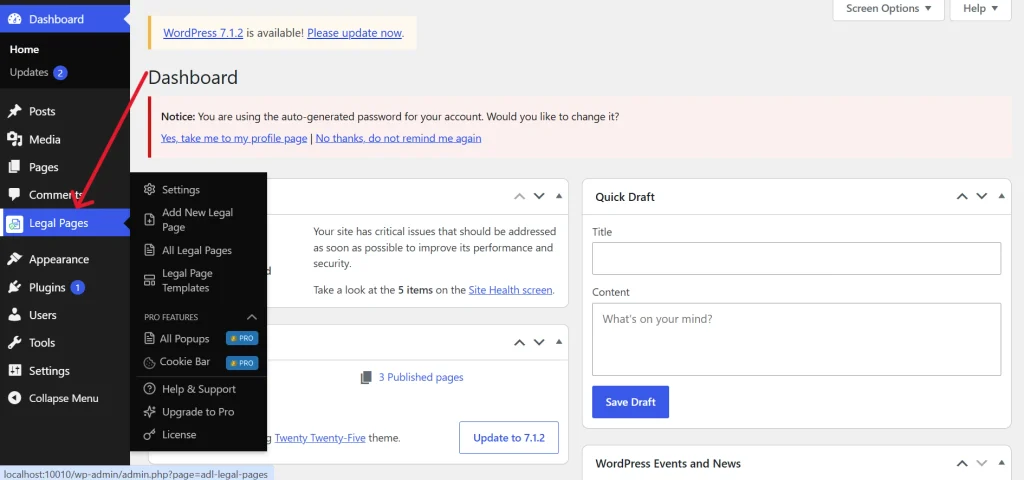
From your dashboard, navigate to:
Legal Pages → Legal Page Templates
Here, you can browse the available templates and identify documents relevant to your website.
Step 2: Select a Privacy Policy Template
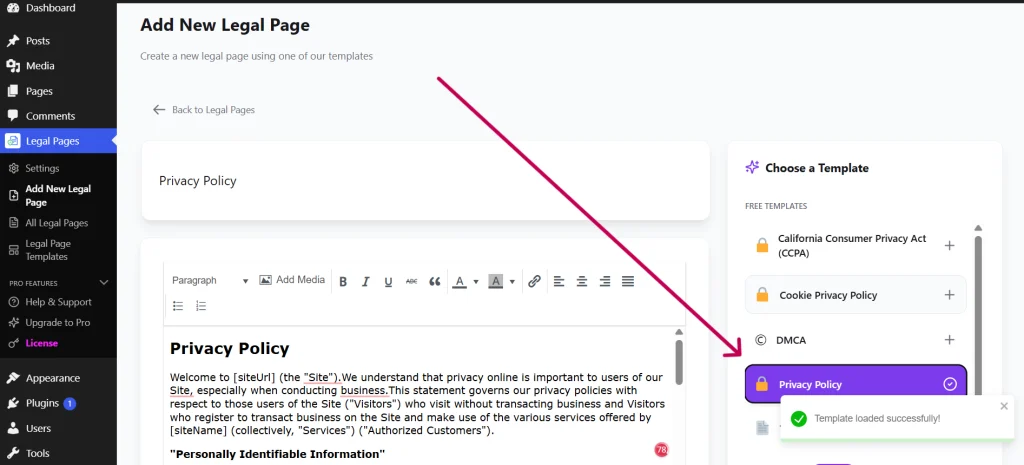
Navigate to:
Legal Pages → Add New Legal Page
Choose the Privacy Policy template if it is available in your installed version.
The selected template will provide a starting document that you can review and customize.
Step 3: Customize Your Privacy Policy
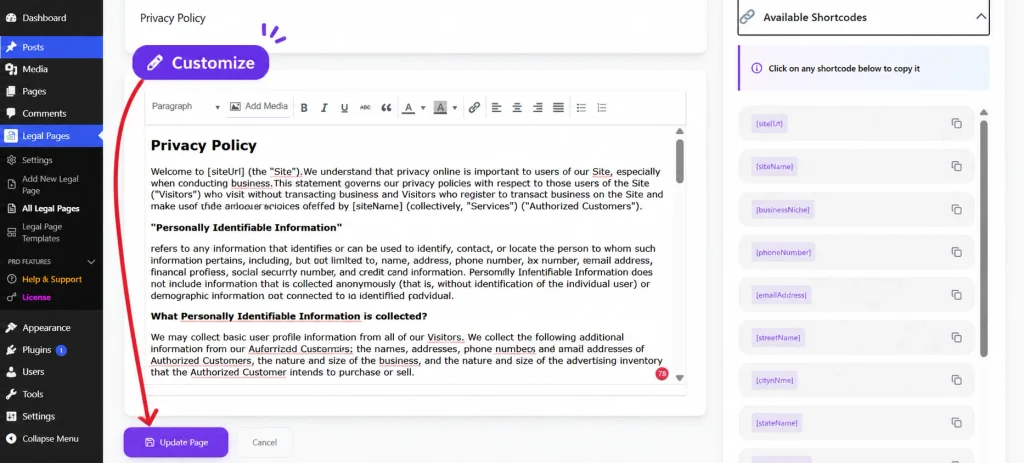
Once the template loads, review its content in the editor.
Update the information according to your website’s actual practices, including:
- Website and business details
- Types of personal information collected
- Reasons for collecting information
- Third-party services
- Data retention practices
- Visitor privacy rights
- Contact information
Do not leave irrelevant sections or placeholder information in the published document.
Step 4: Add Your Website Information
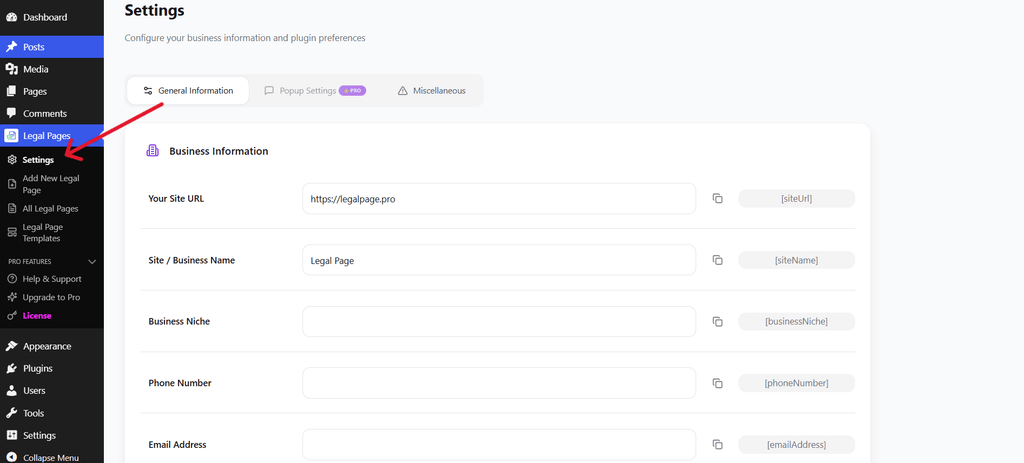
Navigate to:
Legal Pages → Settings → General Information
Enter your website and business details, such as:
- Website URL
- Business name
- Business niche
- Phone number
- Email address
These details can be used through the plugin’s available shortcodes when preparing legal documents.
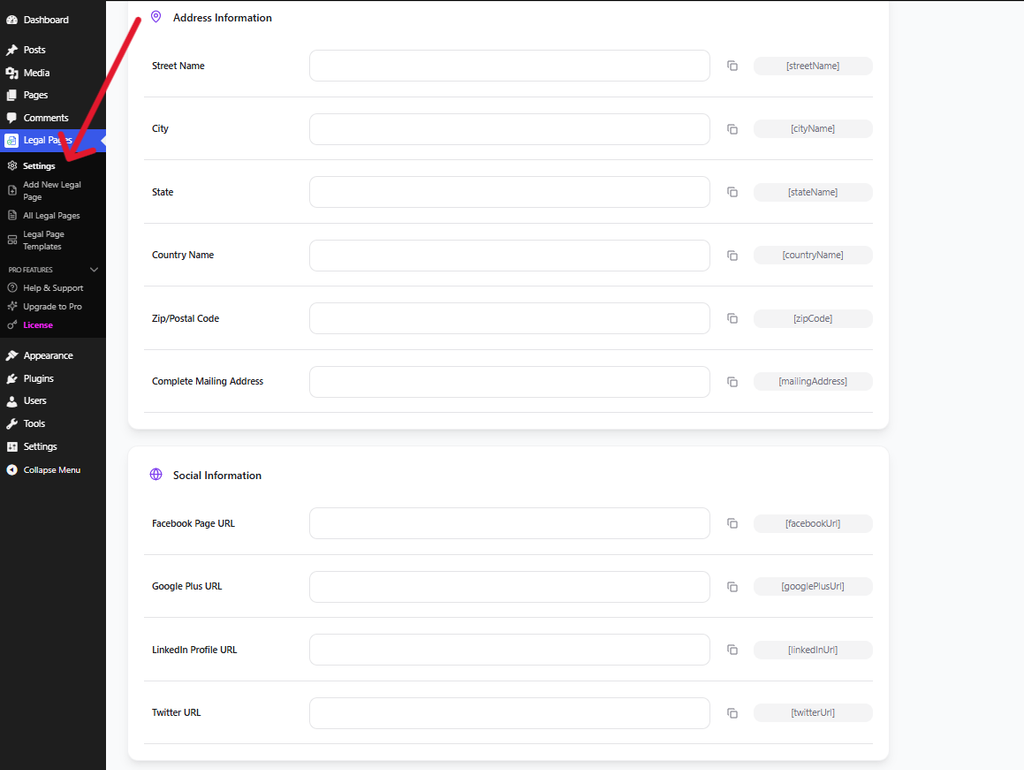
Step 5: Add Address and Contact Details
Continue through the settings and complete the relevant Address Information fields.
You can provide your street address, city, state, country, postal code, and mailing address.
Add accurate contact details so visitors can identify the appropriate contact point for privacy-related questions or requests.
Step 6: Save and Publish Your Privacy Policy
After reviewing the document, click Save Page or the relevant update button.
Next, navigate to:
Legal Pages → All Legal Pages
You can review your created documents and use the available actions to view or edit them.
Once published, check the live page to make sure the content displays correctly.
Step 7: Configure Cookie Consent Separately
Creating a Cookie Policy does not automatically manage cookie consent.
If your website uses non-essential cookies that require consent, consider using a dedicated cookie consent solution.
A WordPress cookie consent plugin can help display a cookie banner, provide visitor preference controls, and manage consent according to its supported features.
Look for a solution that offers:
- Accept and reject options
- Cookie preference settings
- Consent records
- Cookie categorization
- Support for blocking non-essential cookies until consent where required
Test the banner to confirm that your website behaves according to the selected visitor preferences.
Common GDPR Compliance Mistakes to Avoid
Even after creating legal documents, website owners can overlook important privacy requirements.
Here are some mistakes worth avoiding:
- Publishing a generic Privacy Policy: Your policy should describe your actual data collection and processing practices.
- Ignoring third-party integrations: Review the services and plugins that process visitor information.
- Using a cookie banner without proper controls: A banner alone does not guarantee valid consent.
- Collecting unnecessary information: Only request information that is relevant to your stated purposes.
- Forgetting to update policies: Review your documents whenever your website or its services change.
- Assuming a plugin guarantees compliance: Plugins can simplify certain tasks, but website owners remain responsible for reviewing their legal and technical practices.
Conclusion
Setting up GDPR compliance on a WordPress website requires more than publishing a Privacy Policy. You should understand what information your website collects, review third-party services, manage cookie consent where required, and explain your data practices clearly.
Legal Pages can simplify the process of creating and managing important legal documents through ready-made templates and WordPress dashboard tools.
Start by reviewing your website’s data collection activities, create the relevant policies, and regularly update them as your website evolves.