 By admin
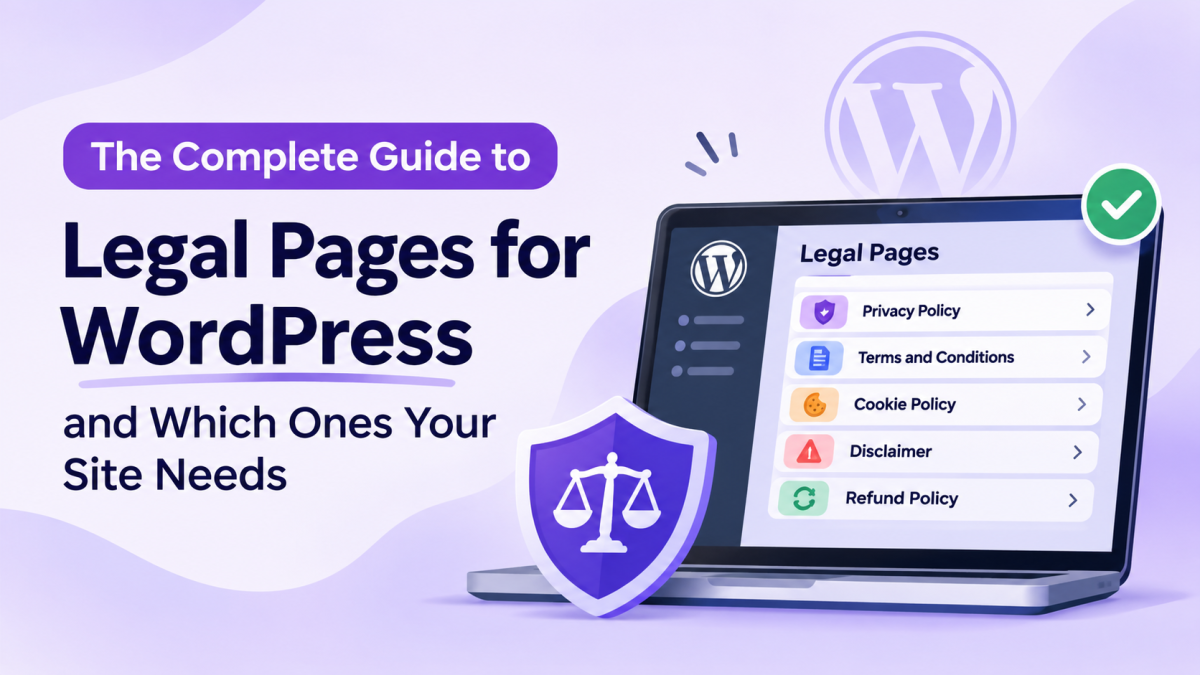
Legal pages are an important part of running a WordPress website. They explain how your website collects information, what rules visitors must follow, and what responsibilities apply when people use your services. Depending on your website’s purpose, you may need a Privacy Policy, Terms and Conditions, Cookie Policy, Disclaimer, or Refund Policy. However, knowing which pages to create and how to manage them can be confusing. In this guide, we’ll explain the essential legal pages for WordPress, why they matter, and how to create and manage them using Legal Pages.
What Are Legal Pages?
Legal pages are dedicated sections of a website that explain its policies, terms, and responsibilities. They help visitors understand how the website operates, how their information is handled, and what rules apply when they use its services.
For WordPress website owners, these pages are particularly important because websites often use plugins, contact forms, analytics tools, payment gateways, and other third-party services.
Common legal pages include:
- Privacy Policy: Explains what personal information a website collects, how it is used, and whether it is shared with third parties.
- Terms and Conditions: Establishes the rules and conditions visitors must follow when using a website, product, or service.
- Cookie Policy: Explains how cookies and similar technologies are used on a website.
- Disclaimer: Clarifies the limitations and responsibilities associated with information or services provided by a website.
- Refund Policy: Explains the conditions under which customers can request refunds or cancellations.
- Acceptable Use Policy: Defines activities that visitors or registered users are permitted or prohibited from performing.
Not every website needs all these pages. The appropriate documents depend on the website’s business model, audience, location, and data collection practices.
Which Legal Pages Does Your WordPress Website Need?
Different websites have different requirements. Understanding your website’s activities will help you decide which legal documents are relevant.
1. Privacy Policy
A Privacy Policy is important for websites that collect or process personal information.
For example, a website may collect information through:
- Contact forms
- Newsletter subscriptions
- User registration
- Analytics tools
- Online purchases
- Booking forms
The policy should explain what information is collected, why it is collected, how it is used, and which third-party services may receive it.
2. Terms and Conditions
Terms and Conditions establish the rules for using your website, products, or services.
They may cover:
- User responsibilities
- Account registration
- Payment conditions
- Intellectual property
- Prohibited activities
- Refunds and cancellations
- Account termination
These terms are particularly useful for ecommerce stores, membership platforms, online services, and business websites.
3. Cookie Policy
A Cookie Policy explains which cookies and similar technologies your website uses and what they do.
WordPress websites may use cookies for login sessions, shopping carts, analytics, advertising, and remembering visitor preferences.
If your website uses analytics tools or third-party integrations, review their cookie practices before preparing this policy.
4. Disclaimer
A Disclaimer explains the nature and limitations of the information or services published on your website.
It can be relevant for websites that publish financial, health, educational, legal, or professional information.
For example, a financial blog may clarify that its articles provide general information rather than personalized financial advice.
5. Refund Policy
If your website sells products, subscriptions, or services, a Refund Policy can explain:
- Refund eligibility
- Request deadlines
- Cancellation conditions
- Refund processing
- Non-refundable products or services
Clear refund information helps customers understand what to expect before making a purchase.
6. Acceptable Use Policy
Websites that allow user accounts, comments, uploads, or community interactions may benefit from an Acceptable Use Policy.
It explains which activities are permitted and which actions may result in content removal or account restrictions.
Why Does Your WordPress Website Need Legal Pages?
Legal pages are not simply documents added to complete a website’s footer. They serve several practical purposes.
Transparency About Data Collection
Visitors should understand how their personal information is collected and used. A clear Privacy Policy helps explain these practices.
Support Applicable Legal Requirements
Depending on your location, audience, and business activities, privacy and consumer protection laws may require specific disclosures or policies.
For example, GDPR and CCPA establish privacy-related requirements for businesses that fall within their scope.
Clear Communication With Customers
Terms and Conditions and Refund Policies explain important rules before visitors purchase products or use services.
Better Visitor Confidence
When visitors can easily find information about privacy, payments, refunds, and website usage, they have a clearer understanding of how your business operates.
Clearer Website Management
Written policies provide a reference point for handling user accounts, customer requests, prohibited activities, and other website-related matters.
How to Create and Manage Legal Pages in WordPress
Creating legal pages manually is possible through the standard WordPress page editor. However, starting every document from a blank page can take time.
Legal Pages provides ready-made templates that help WordPress users create and manage different legal documents from their dashboard.
Here’s how to get started.
Step 1: Install and Open Legal Pages
First, install and activate the Legal Pages plugin on your WordPress website.
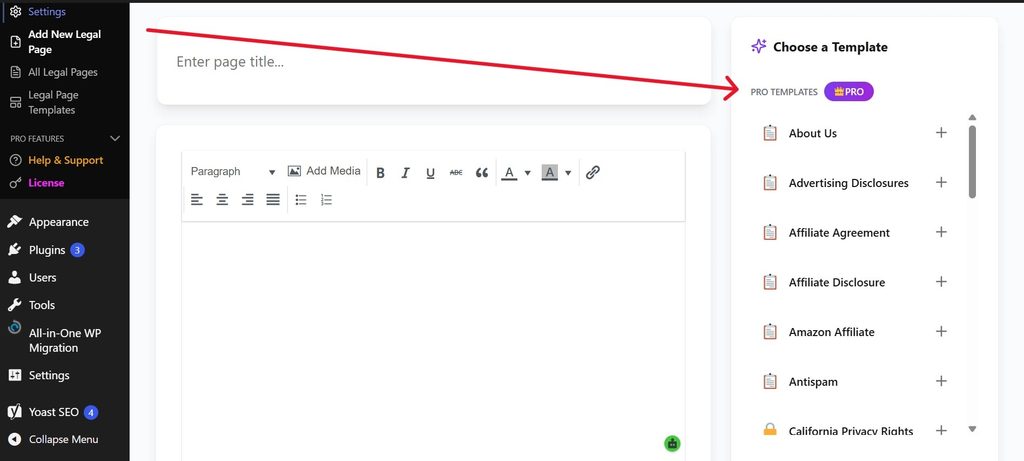
After activation, open your WordPress dashboard and navigate to:
Legal Pages → Legal Page Templates
This section allows you to browse available legal page templates and choose one that matches your requirements.
[Insert Screenshot 1: Legal Page Templates showing the available Free and Pro templates.]
Step 2: Add Your Website and Business Information
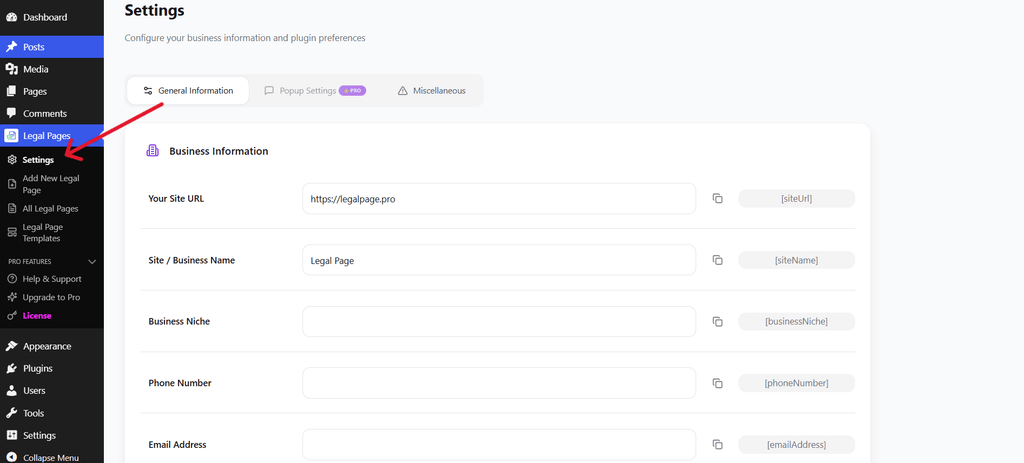
To make customization easier, open:
Legal Pages → Settings → General Information
Here, you can enter relevant website and business details, including:
- Website URL
- Site or business name
- Business niche
- Phone number
- Email address
These details can be used through the plugin’s available shortcodes when preparing legal documents.
Step 3: Add Your Business Address and Social Information
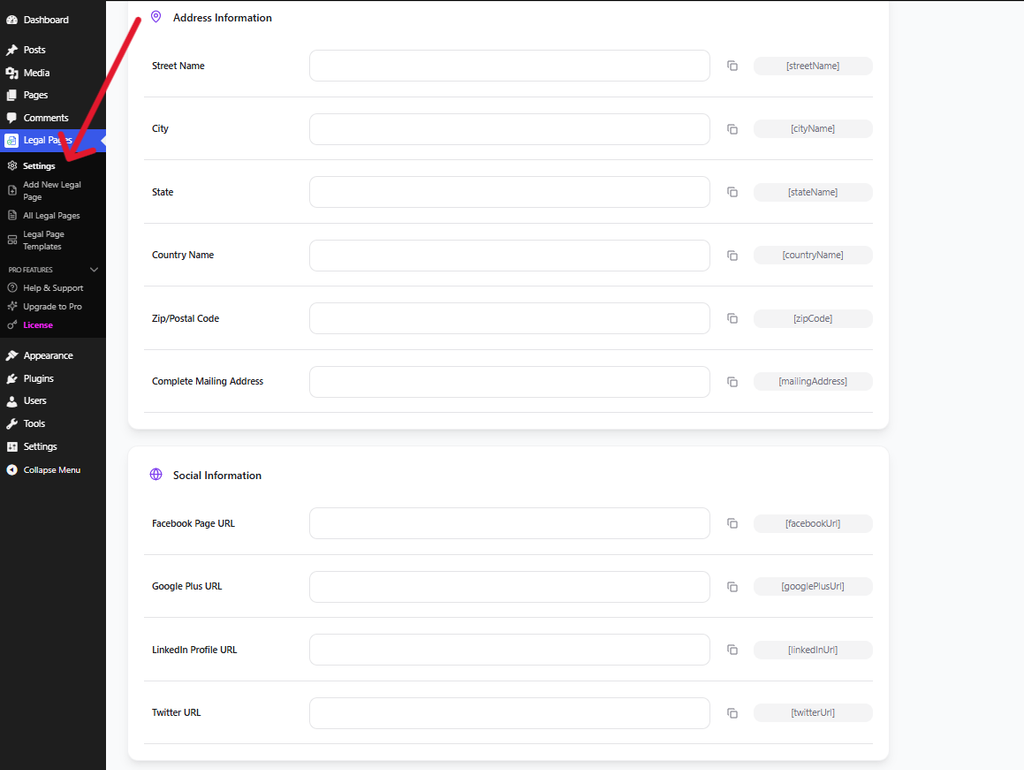
You can also provide additional information through the settings area.
The available fields include:
Address Information:
- Street name
- City
- State
- Country
- ZIP or postal code
- Complete mailing address
Social Information:
- Facebook page URL
- Google Plus URL
- LinkedIn profile URL
- Twitter URL
Enter accurate information wherever it is relevant to your website.
Step 4: Choose a Suitable Legal Template
Legal Pages provides templates for different types of legal documents, including:
- Privacy Policy
- Terms of Use
- Cookie Privacy Policy
- California Consumer Privacy Act (CCPA)
- DMCA
You can browse the available templates and select the one you want to use.
Alternatively, navigate to Legal Pages → Add New Legal Page to start creating a document.
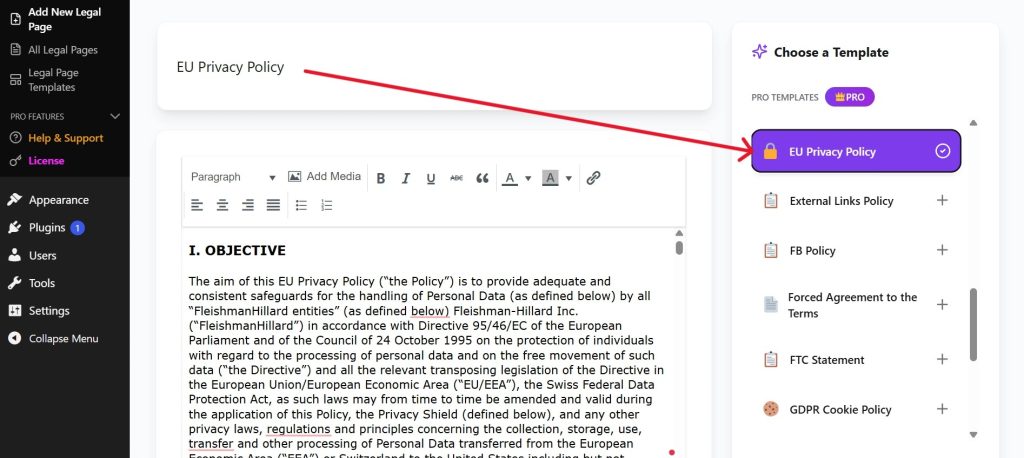
Screenshot caption: Select a suitable template to start creating a legal page.
Step 5: Review and Customize the Content
After selecting a template, its content will appear in the editor.
You can review and customize the document to match your website’s actual business practices.
Pay attention to details such as:
- Website name and URL
- Information collected from visitors
- Third-party services
- Payment and refund conditions
- User responsibilities
- Contact information
Legal Pages also provides available shortcodes that can be copied into the editor to display saved website information.
Important: A ready-made template is a starting point, not a guarantee of legal compliance. Review every section and remove or update information that does not apply to your website.
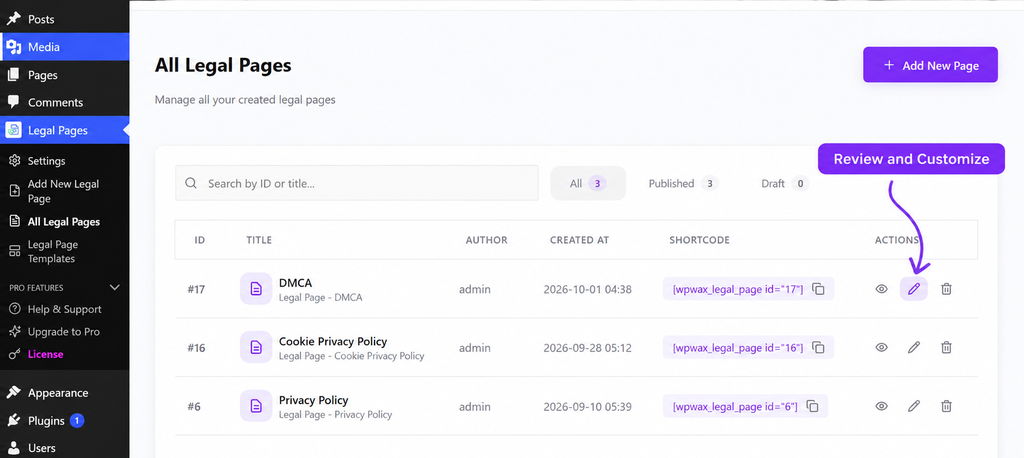
Step 6: Save and Manage Your Legal Pages
After reviewing and customizing your document, click Save Page to create it.
You can then navigate to:
Legal Pages → All Legal Pages
This section displays your created documents, their titles, publication status, and available shortcodes.
You can also use the available actions to review, edit, or delete a legal page.
Screenshot caption: Manage your created legal documents from one dashboard.
Once published, visit the live page and check that the content displays correctly.
You should also add links to relevant legal documents in your website footer and other appropriate locations, such as checkout pages, registration forms, and newsletter signup areas.
Common Mistakes to Avoid
Even after creating legal pages, website owners sometimes overlook important details.
Here are a few mistakes worth avoiding:
- Copying another website’s policies: Different websites collect different information and use different services. Always customize your documents.
- Using generic templates without reviewing them: Make sure every section reflects your actual website practices.
- Ignoring third-party services: Review analytics tools, payment gateways, forms, and other integrations.
- Making legal pages difficult to find: Add appropriate links to your footer and relevant website sections.
- Forgetting to update documents: Review your policies whenever your website introduces new features, plugins, or services.
Conclusion
Legal pages help WordPress website owners communicate important information about privacy, website usage, payments, and customer responsibilities.
The documents your website needs depend on its purpose, audience, and the information it handles. A personal blog, an ecommerce store, and a membership website will not necessarily require the same policies.
Start by reviewing your website’s features and data collection practices. Then create the relevant legal documents, customize their content, and make them accessible to visitors.
Legal Pages makes this process easier with ready-made templates and a dashboard for creating and managing legal documents directly from WordPress.