 By admin
When building a WordPress website, people often focus on design, content, products, and SEO while overlooking legal pages. Legal pages for WordPress explain how your website operates, how visitor information is handled, and what rules apply to users.
Common examples include Privacy Policy, Terms & Conditions, Cookie Policy, Disclaimer, Refund Policy, and DMCA Policy. However, not every website needs all of them. The right pages depend on your website, the information you collect, your audience, and applicable requirements.
This guide covers the main legal pages, why they matter, and how to create and manage them in WordPress.
What Are Legal Pages?
Legal pages are website pages that explain important policies, rules, and information related to the use of a website, product, or service.
They help visitors understand things such as how their information is handled, what rules apply when using the website, how refunds work, or how cookies are used.
Some of the most common legal pages include:
Privacy Policy
A Privacy Policy explains what personal information a website collects, why it is collected, and how it is handled.
Terms & Conditions
Terms & Conditions set out the rules for using a website, product, or service. They may cover accounts, payments, purchases, intellectual property, prohibited activities, and other terms.
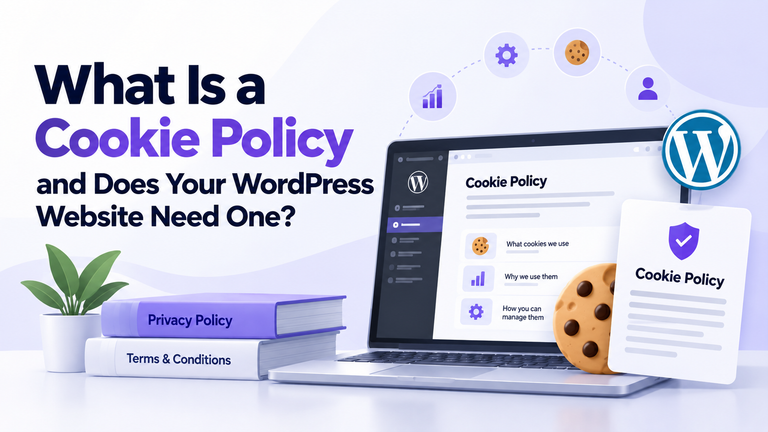
Cookie Policy
A Cookie Policy explains how a website uses cookies and similar technologies for functions such as analytics, preferences, advertising, or website features.
Disclaimer
A Disclaimer can explain the purpose and limitations of information provided on a website. It can be particularly relevant to websites covering areas such as finance, health, education, or professional information.
Refund Policy
A Refund Policy explains when customers can request refunds and what conditions apply. This can be particularly useful for ecommerce websites, digital products, subscriptions, and paid services.
DMCA Policy
A DMCA Policy can be relevant to websites that publish or host content and need to provide information about handling certain copyright complaints.
The pages a website needs will vary. A simple blog may need fewer policies than an ecommerce store, membership website, or SaaS platform.
Why Does Your WordPress Website Need Legal Pages?
A WordPress website can collect and process information in many different ways.
For example, your website may have:
- Contact forms
- Newsletter signup forms
- User accounts
- Analytics tools
- Ecommerce plugins
- Payment gateways
- Social media integrations
- Embedded third-party content
Each of these can affect how your website operates and what information it handles.
Legal pages give visitors a clear place to find information about these practices.
For example, a Privacy Policy can explain how information submitted through a contact form is handled. A Cookie Policy can explain the use of cookies from analytics or other services. Terms & Conditions can establish rules for using your website or purchasing your services.
Legal pages should also reflect the actual practices of your website. Copying a policy from another business may leave out important details because that website may use different plugins, payment providers, analytics tools, or data practices.
It is also important to review your legal pages when your website changes. Adding a new service, payment method, analytics tool, or user feature may mean that your existing information needs to be updated.
Which Legal Pages Does a WordPress Website Need?
There is no single set of legal pages that applies to every WordPress website.
Blog or Content Website
A blog may collect comments, newsletter subscriptions, or analytics information. Depending on how it operates, it may need a:
- Privacy Policy
- Cookie Policy
- Disclaimer
Ecommerce Website
An online store can handle customer accounts, orders, payments, shipping information, and refunds. It may therefore need:
- Privacy Policy
- Terms & Conditions
- Cookie Policy
- Refund Policy
- Shipping Policy
Membership or SaaS Website
A membership or SaaS website may handle user accounts, subscriptions, payments, and user-generated content. Its legal pages may include:
- Privacy Policy
- Terms & Conditions
- Cookie Policy
- Refund or subscription-related policies
The important thing is to choose and maintain pages that match how your website actually works.
How to Create Legal Pages in WordPress
WordPress includes tools for creating and managing a Privacy Policy page. You can also use a plugin such as Legal Pages when you need ready-made templates for different legal documents.
Legal Pages provides templates that can be selected, edited, and published from the WordPress dashboard.
Step 1: Add Your Website Information
Legal Pages also provides settings where you can enter your website or business information.
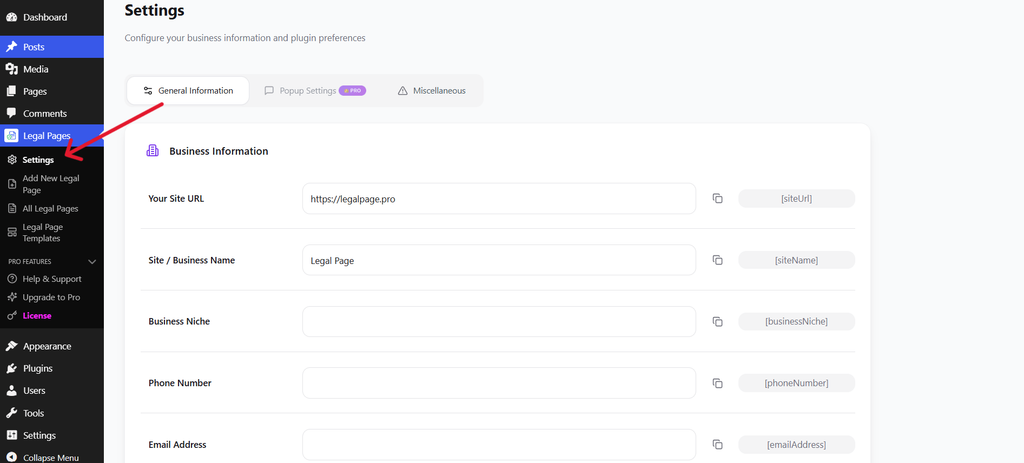
You can add details such as your website URL, site or business name, email address, phone number, and other relevant information.
You can also provide your address details where required.
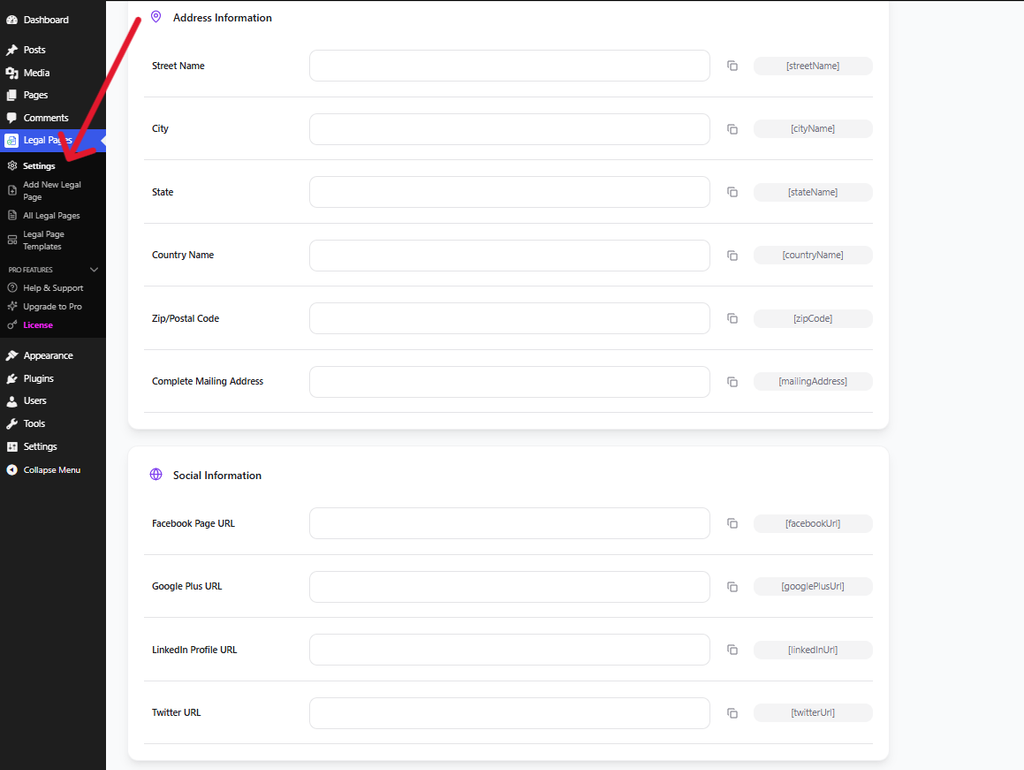
This information can be used within your legal pages through the plugin’s available shortcodes, reducing the need to enter the same details manually in multiple places.
Step 2: Open Add New Legal Page
From your WordPress dashboard, go to Legal Pages → Add New Legal Page.
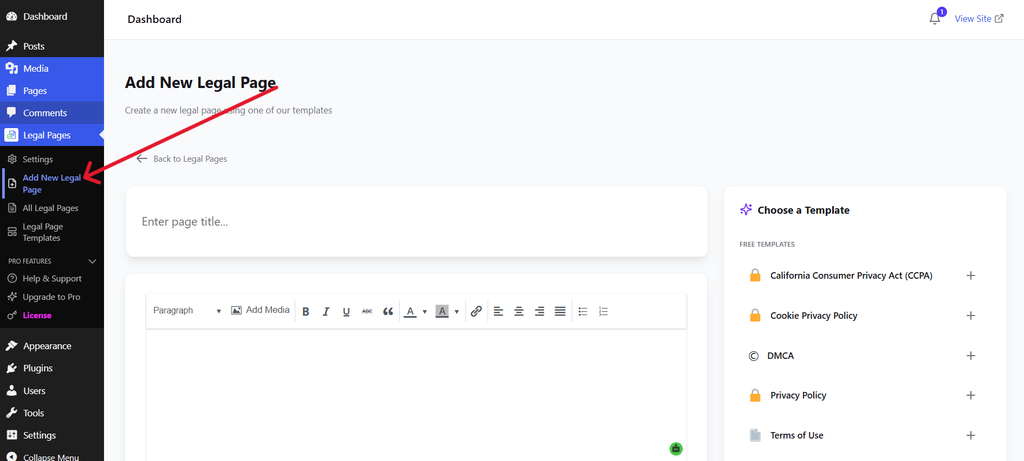
This screen allows you to start creating a new legal page and select an appropriate template.
Step 3: Choose a Legal Page Template
After opening the creation screen, you can select the template that matches the page you want to create.
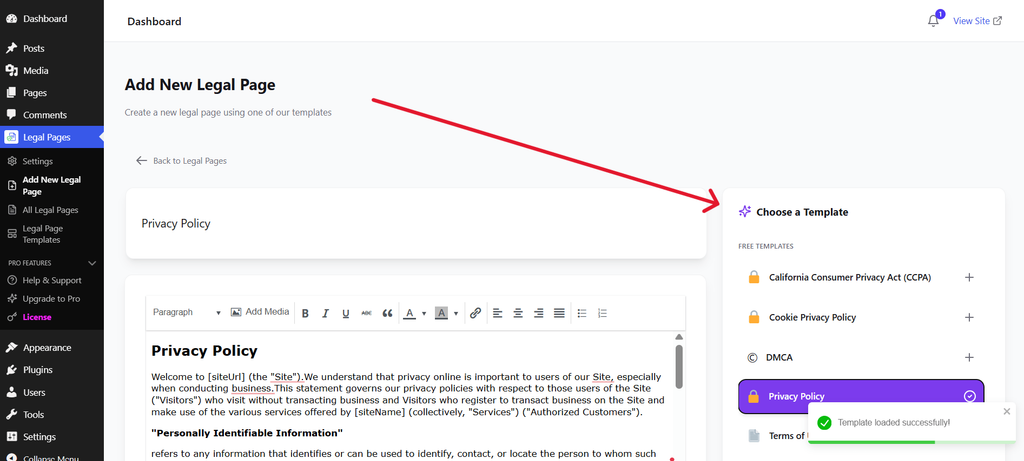
For example, you can choose a template for a Privacy Policy, Cookie Policy, Terms of Use, or another available legal page.
Using a template gives you a structured starting point instead of having to create the entire document from a blank page.
Step 4: Review and Edit the Content
Once a template is selected, its content appears in the editor.
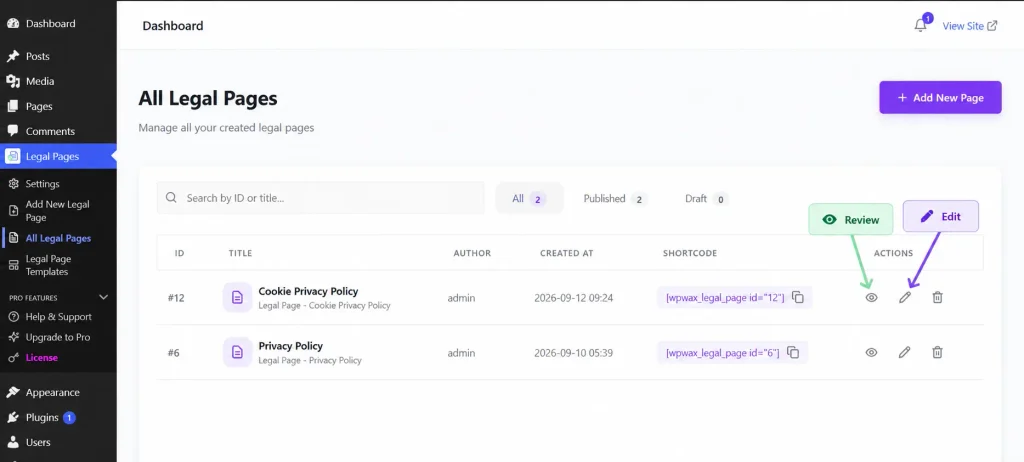
Review the content carefully and adjust it to match your website.
Check details such as:
- Information your website collects
- Forms and signup systems
- Analytics tools
- Cookies
- Payment services
- Third-party services
- User accounts
The template should be treated as a starting point. The final content should describe what your website actually does.
Step 5: Save and Manage Your Legal Pages
After reviewing and editing the page, save or publish it.
You can manage your created legal pages from Legal Pages → All Legal Pages.
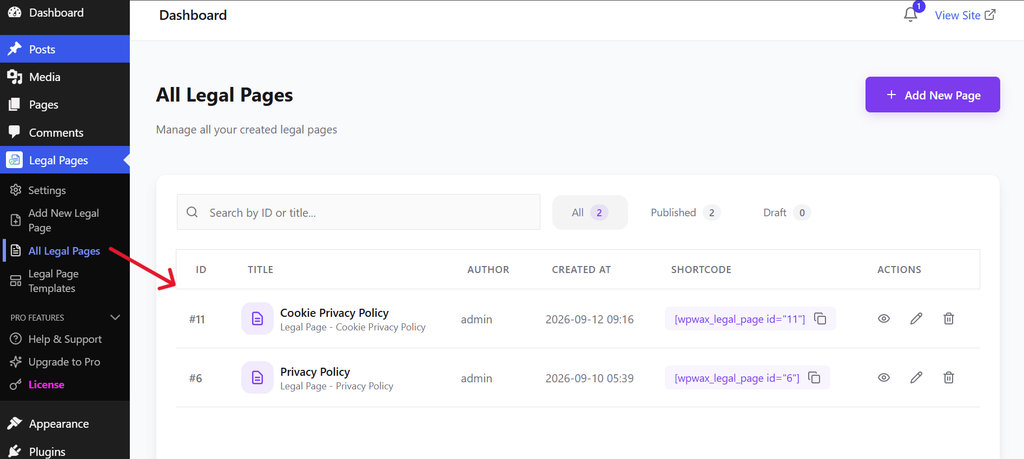
From here, you can view the legal pages you have created and manage them from one place.
Once a page is published, visit the live page and check that the content is displaying correctly.
How to Make Your Legal Pages Easy to Find
Creating legal pages is only part of the process. Visitors should also be able to find them easily.
The website footer is a common place to link to pages such as:
- Privacy Policy
- Terms & Conditions
- Cookie Policy
- Disclaimer
Depending on your website, you may also want to provide links near account registration, checkout, contact forms, newsletter signup, or booking forms.
The goal is simple: visitors should not have to search through your website to find important information about its policies.
Common Mistakes to Avoid
When creating legal pages for WordPress, avoid these common mistakes:
Copying another website’s policies: Another business may have completely different services, plugins, and data practices.
Using outdated information: Your legal pages should be reviewed when your website changes.
Ignoring third-party services: Analytics, payment providers, advertising tools, and embedded content can affect how your website handles information.
Making pages difficult to find: Important policies should be linked from places visitors can easily access.
Using generic information without checking it: Your policies should match the actual functions and practices of your website.
Conclusion
Legal pages are an important part of running a WordPress website. They provide visitors with information about how your website operates, how information is handled, and what rules apply to its use.
The pages you need will depend on your website. A blog, ecommerce store, and membership website can all have different requirements.
Before creating your legal pages, review the forms, plugins, analytics tools, payment services, cookies, and other third-party services used on your website.
If you want a simpler way to create and manage different legal pages, Legal Pages provides ready-made templates that can be added and customized directly within WordPress.